

Overview
Bring testing and engineering teams together with a unified testing and bug-tracking process using Shortcut and TestLodge. Our Shortcut test case management integration allows testers to automatically create stories in Shortcut when a test fails in TestLodge.
How it works
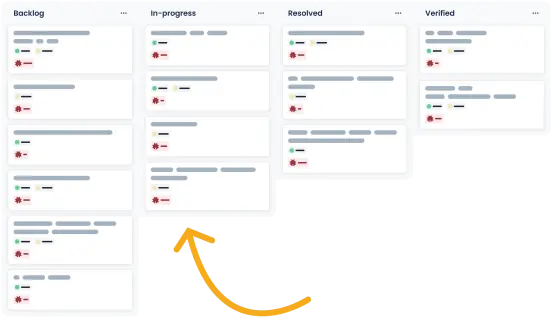
TestLodge connects with Shortcut to automatically create and update Shortcut stories, keeping developers and testers on the same page. Our Shortcut test management integration includes the following features:
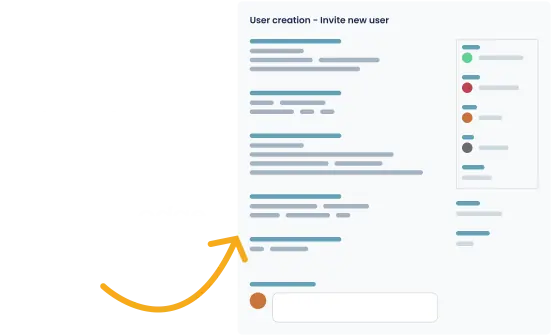
- Create stories automatically - When a test fails, TestLodge automatically creates a story in Shortcut, providing all the necessary details an engineer needs to resolve the bug.
- Set story owner - Testers can set the owner, follower, label, and epic of the Shortcut story without leaving TestLodge.
- Associate an existing story - If you already have a related Shortcut story, you can link it directly to the test within TestLodge.
- Sync the latest story status - Our bi-directional integration allows you to sync the status of a story so TestLodge knows which bugs have been marked “resolved.”
- Re-test cases based on bug status - Select which test cases you want to re-test based on the Shortcut story status.
- Update the story status - When re-running tests, you can change the status of a story to indicate a bug has been verified and resolved. You can also add followers to the ticket directly from TestLodge.
Setup instructions
- In TestLodge, navigate to the project list and select "issue trackers" from the side menu options.
- Set up a new integration by entering your shortcut API key.
- Go to the project's dashboard in TestLodge and edit the project.
- From there, you can select the Shortcut workflow you want to create stories in.
You can now create and update stories from within TestLodge whenever a test is marked "failed."
Frequently asked questions
Common questions around setting up the Shortcut and TestLodge integration.
Is it a two-way integration?
Yes, you can send and retrieve information to and from Shortcut within TestLodge.
What if I use multiple issue-tracker tools?
TestLodge allows you to set up multiple integration points with different issue-trackers. You can connect Shortcut to a project and a different issue tracker to another project, making TestLodge a flexible solution no matter what tool your development team uses.
Can I create stories in a Shortcut project?
No, Shortcut is moving away from the concept of projects, and new accounts don’t have access to them. Therefore, we have updated our integration to work with workflows.